Use this file to discover all available pages before exploring further.
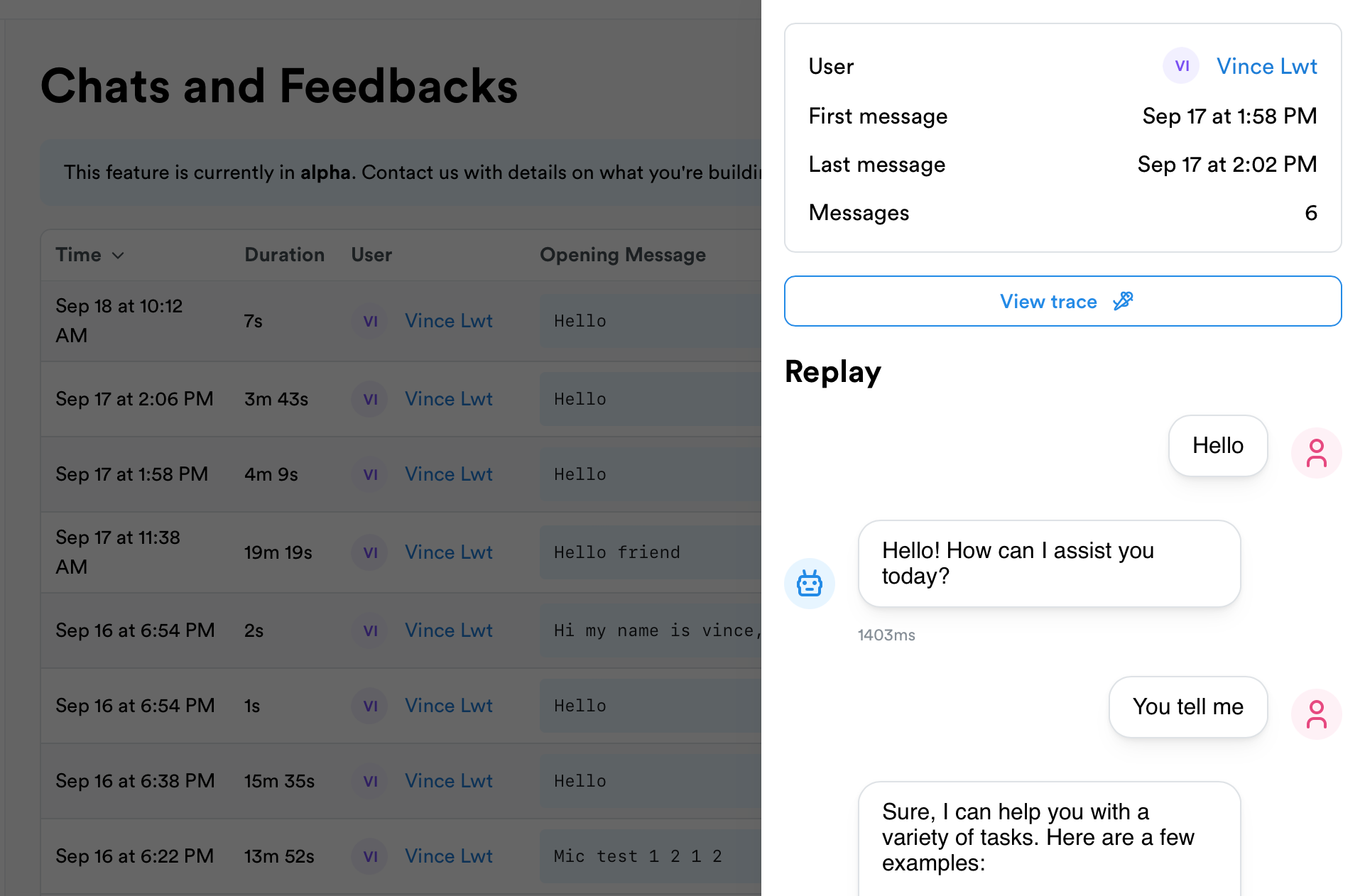
Record and replay chat conversations in your chatbot app. Helps you understand where your chatbot falls short and how to improve it.Chats integrate seamlessly with traces by reconciliating messages with LLM calls and agents.You can record chats in the backend or directly on the frontend if it’s easier for you.
Now you can track messages. The supported roles are assistant, user, system, & tool.
Javascript
Python
thread.trackMessage({ role: 'user', content: 'Hello, please help me'})thread.trackMessage({role: 'assistant',content: 'Hello, how can I help you?'})
thread.track_message({ "role": "user", "content": "Hello, please help me"})thread.track_message({ "role": "assistant", "content": "Hello, how can I help you?"})
You can track custom events that happen within your chatbot. This can include things like:
opening a document
clicking a button
submitting a form
user activity or inactivity
other events that you want to track
Javascript
Python
thread.trackEvent("event-name")// you can also track additional metadatathread.trackEvent("open-document", {documentName: "my-document.pdf",})
thread.track_event("event-name")# you can also use the following optional parametersthread.track_event("event-name", user_id="user1", user_props={"email": "hello@test.com"}, metadata={})
To take full advantage of Lunary’s tracing capabilities, you can reconcile your LLM and agents runs with the messages.We will automatically reconciliate messages with runs.
If you’re using LangChain or agents behind your chatbot, you can inject the current message id into context as a parent:
Javascript
Python
const msgId = thread.trackMessage({ role: "user", content: "Hello!" });// In your backend, inject the message id into the contextconst agent = lunary.wrapAgent(function ChatbotAgent(query) { // your custom code...});await agent("Hello!").setParent(msgId);
msg_id = thread.track_message({ "role": "user", "content": "Hello!" })# In your backend, inject the message id into the contextwith lunary.parent(msg_id): # your custom code... pass
Note that it’s safe to pass the message ID from your frontend to your backend, if you’re tracking chats directly on the frontend for example.