

Getting Started
The endpoint for sending events to the Lunary Cloud API is:Step 1: Sending LLM data
Start Event
At a minimum, you will need an ID, the model name, and the input data to send a start event. While the ID can be any unique identifier, we recommend using a random UUID.Make sure to replace the IDs with unique values, otherwise the ingestion will
be rejected.
curl, here’s an example:
End Event
Once your LLM call succeeds, you need to send anend event with the output data. Here’s an example:

These can be sent in the same batch or as separate requests.
Additional Data
You can report additional LLM data in theextra object, such as temperature, max_tokens, and tools. Similarly, arbitrary metadata can be passed in the metadata object, user information can be reported in the userId and userProps fields, and tags can be added to the event.
Example with additional data:
templateVersionId field to reference the template version used in the call.
Reporting errors
If an error occurs during the LLM call, you can report it in theerror field using an error event.
Attaching feedback
If you have feedback from the user, you can attach it to the event using thefeedback field and a feedback event.
Step 2: Basic Traces
If you have multiple LLM calls in a single action, you can use theparentRunId field to link them together, under an “agent” run.
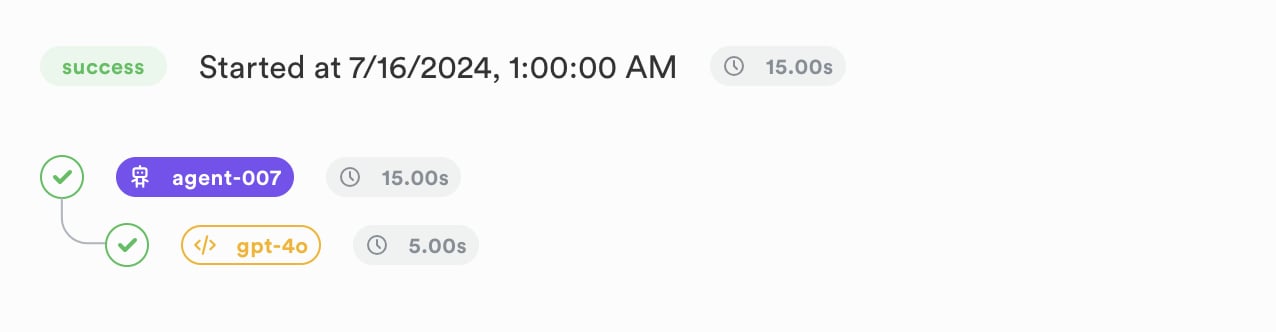
tool and embed.
User and feedback data cascades down between parent and child runs.
Step 3: Advanced Traces (with tools and threads)
A typical user/agent flow might look like this:- The user asks a question.
- Your system invokes an agent to handle the request.
- The agent makes an LLM call and asks a tool to be executed.
- The tool is executed.
- Another LLM call is made with the tool’s output.
- The final answer is returned to the user.
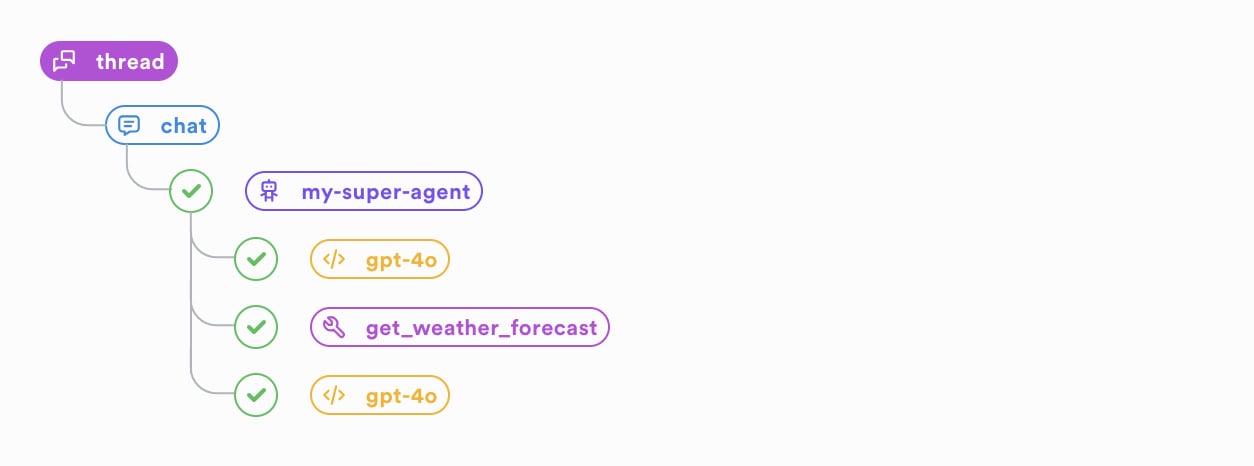
1. The user asks a question
Capture the user message using athread.chat event and the message field.
Note that we must pass a parentRunId here, which is the unique identifier of the current thread. Thread runs are opened and closed automatically, you don’t need to explicitly start or end them.
For a chat event, a different parentRunId means a different conversation thread with the user.
2. Invoke an Agent to handle the request.
While this is optional (as we already have a parentchat run), it’s good practice to open an agent run to encapsulate the agent’s logic.
This also allows us to see the isolated’s agent execution in the Traces tab of the Lunary UI.
3. The agent makes an LLM call and asks a tool to be executed.
3. We execute the tool.
4. Another LLM call is made with the tool’s output.
5. The final answer is returned to the user.
We can first mark the agent run as completed.runId & parentRunId here is the same as the previous chat run), as 1 ID is used per user->assistant interaction.
- chat messages, the user message is passed with the
messagefield - llm calls,
inputis the prompt andoutputis the llm’s response - tools,
inputis the arguments and theoutputis the tool’s result
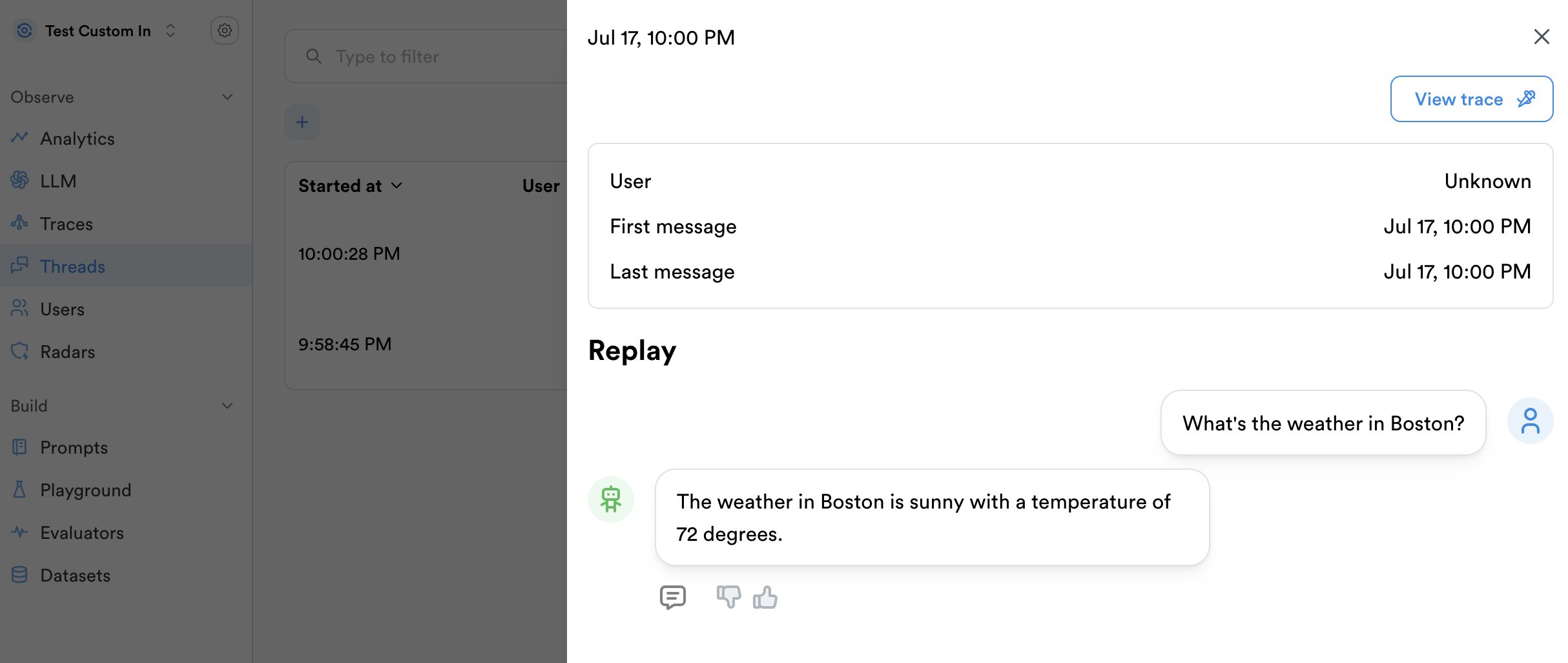
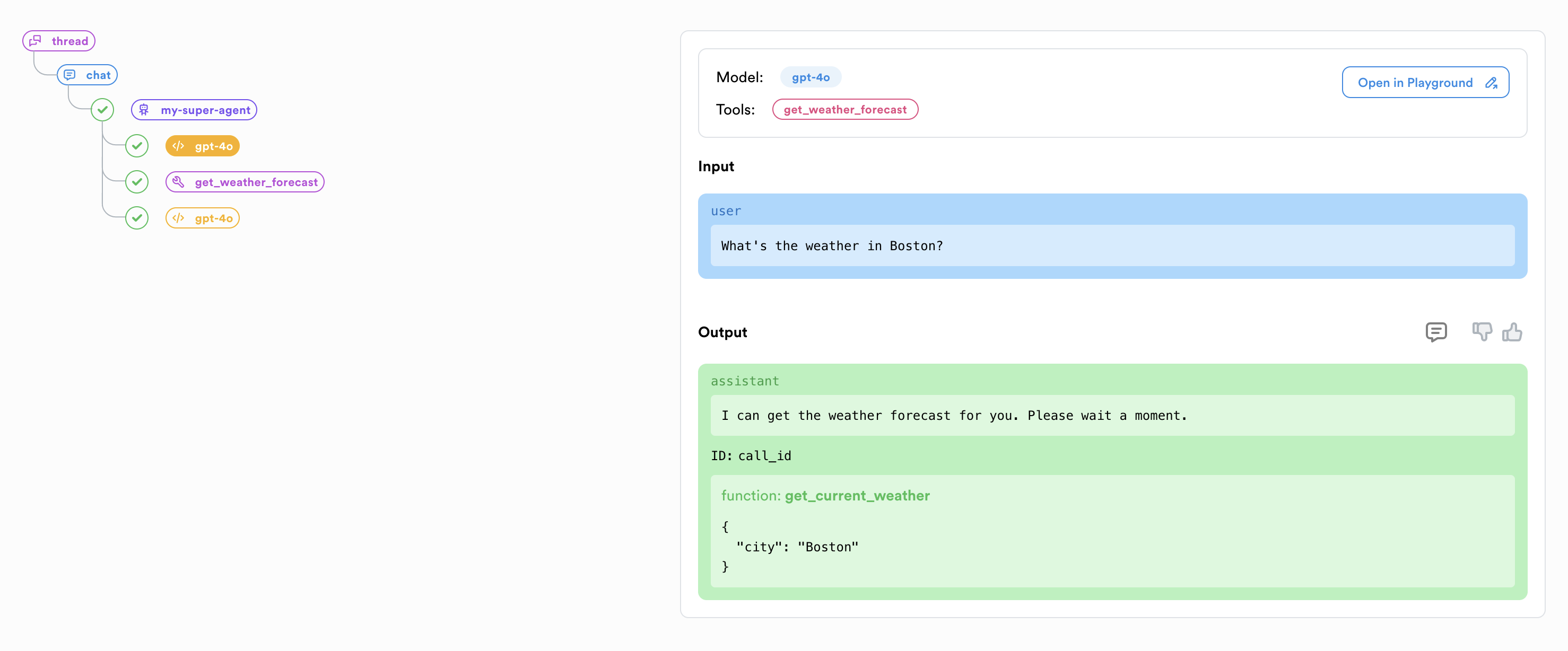
Bonus: Reporting User Feedback
If you have feedback from the user, you can attach it to thechat run using a feedback event and the feedback field.