TrueFoundry AI Gateway is an enterprise-grade gateway and control plane for production LLM and agent applications. It provides a single OpenAI-compatible interface for accessing models while centralizing routing, rate limits, quotas, cost controls, security, and observability. Connect TrueFoundry to Lunary to monitor the LLM requests passing through your gateway. Lunary receives OpenTelemetry traces and metrics, including prompts, responses, model details, token usage, latency, and errors.

Prerequisites

Before you start, make sure you have:
  • A TrueFoundry account with AI Gateway configured.
  • A Lunary project with its Public Key copied from Settings → API Keys.
1

Open the OTEL configuration

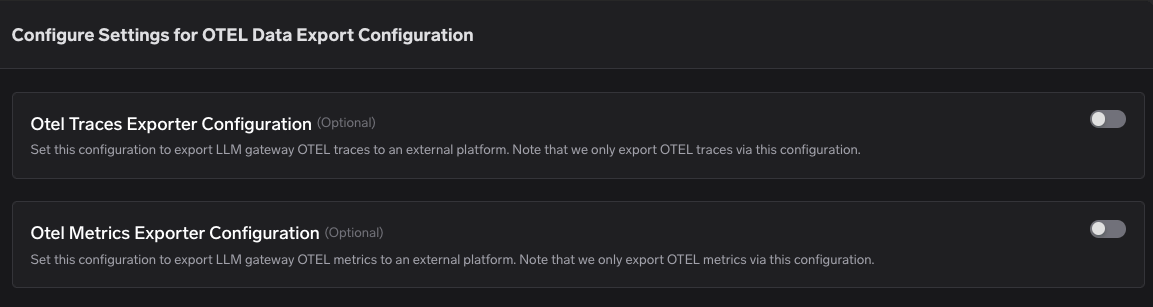
In TrueFoundry, go to Settings → Organisation → AI Gateway → OTEL Data Export Configuration.TrueFoundry OTEL data export configuration
2

Configure trace export

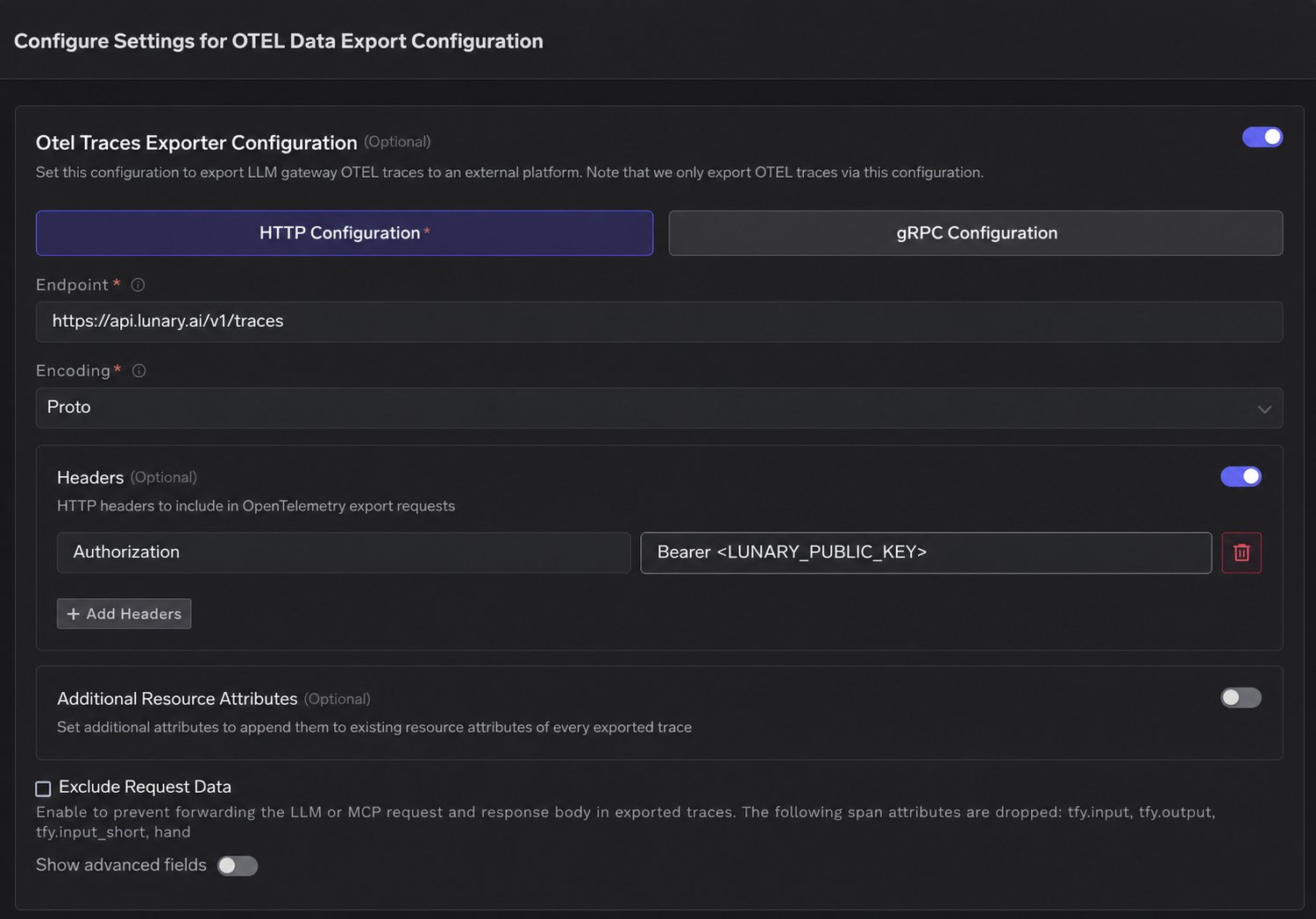
Enable OTEL Traces Exporter Configuration, select HTTP Configuration, and enter:
SettingValue
Endpointhttps://api.lunary.ai/v1/traces
Encodingproto or json
HeaderAuthorization: Bearer <LUNARY_PUBLIC_KEY>
Replace <LUNARY_PUBLIC_KEY> with your Lunary Public Key.Configure trace export to Lunary
3

Optionally configure metrics

To export aggregate metrics, enable OTEL Metrics Exporter Configuration and use https://api.lunary.ai/v1/metrics with the same encoding and authorization header.
4

Save and verify

Save the configuration and send a request through TrueFoundry AI Gateway. In Lunary, open Explore → Traces and confirm that the gateway trace appears.TrueFoundry gateway trace in Lunary
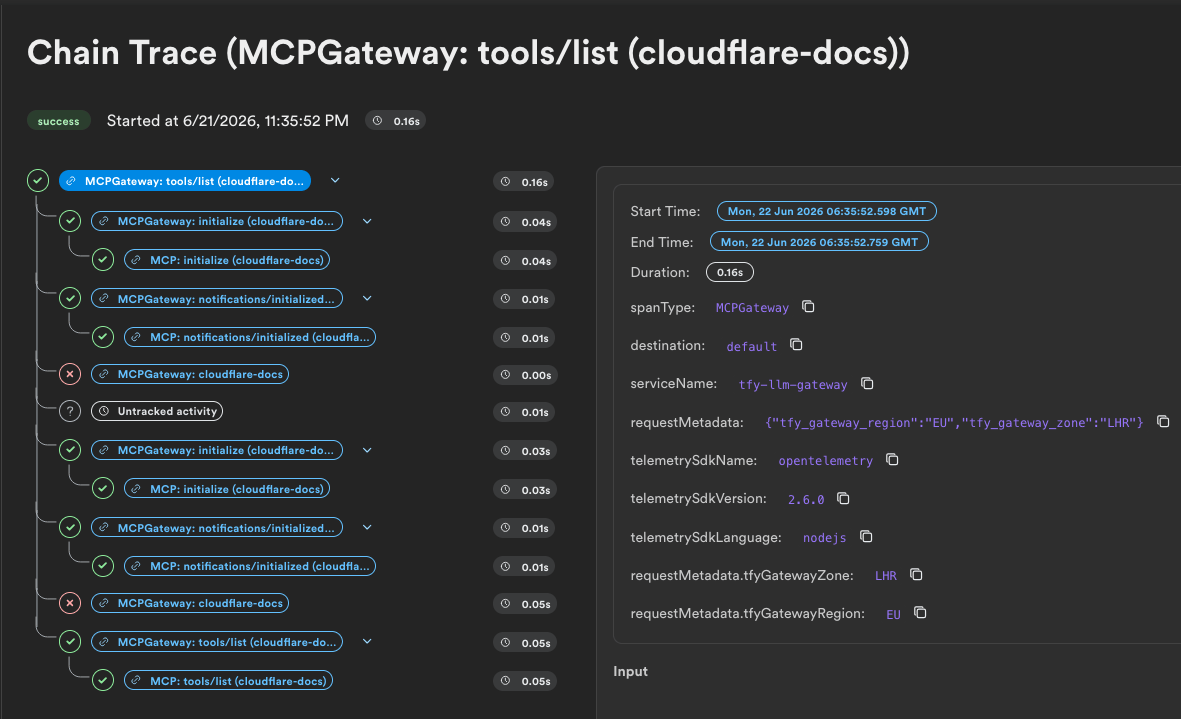
Once connected, TrueFoundry continues to handle model routing and governance while Lunary gives you a detailed view of each request, making it easier to investigate failures, compare model performance, and track usage over time. For advanced fields and more details, see the TrueFoundry OTEL data export tutorial.